TNSOthe orchestrator of your automated processes
Behind every automated process, there are workloads that must run at the right time, in the right order, and prove it. TNSO turns your isolated PowerShell and Python scripts into a centralized, secure, and manageable system, with total visibility over your executions and simplified governance of your critical processes.




What is TNSO?
We designed this tool to end script sprawl and lack of traceability. TNSO is not just an execution engine: it is the centralized cockpit for your PowerShell and Python automations. You plan, secure, and monitor all your critical processes from a single interface. Whether your infrastructures are local or in the cloud, every action is logged and executed reliably. A business process does not stop at the boundary of a server: TNSO follows it from end to end, and gives control back to your IT teams.
Supervision and logs
All your execution data is centralized: at any moment you know what ran, when, and with what result. Where others ask for your trust, TNSO gives you proof, 24/7.
Monitoring and executions
Real-time process tracking with clear indicators and advanced filtering.
Automatic log collection
Automatically captures PowerShell and Python script outputs to guarantee complete execution traceability.
Log visualization
Fast and intuitive access to execution logs for simplified analysis.
Centralized management
Your PowerShell and Python scripts are grouped into a single console, which removes the blind spots from your operations. Complete traceability and real-time monitoring: you spot anomalies before the business suffers them.
Process management
We designed TNSO so you no longer suffer from your execution schedules. Whether responding to an emergency or orchestrating complex recurring tasks, we give you back control over triggering your scripts. We eliminate the opacity of traditional task schedulers by centralizing everything in one place: you finally know who launched what, and with what result.
Code independence
New: Python supportStop wasting time rewriting what already works. Unlike automation platforms that impose proprietary 'wrappers' or heavy syntax modifications, TNSO executes your native scripts as they are. TNSO now supports Python in addition to PowerShell: both libraries live side by side in the same console, with no rewriting. Import your existing library and make it operational in seconds: your technical capital is preserved, without adding any technical debt.
Load management and queues
TNSO allows you to control the execution of your processes, even during periods of high demand. Thanks to a queueing and load balancing system, scripts are executed in an orderly, prioritized, and secure manner.
On-demand and scheduled processes
We designed TNSO so you no longer suffer from your execution schedules. Whether responding to an emergency or orchestrating complex recurring tasks, we give you back control over triggering your scripts. We eliminate the opacity of traditional task schedulers by centralizing everything in one place: you finally know who launched what, and with what result.
We log every trigger to guarantee complete traceability of your actions.
We centralize and manage your schedules for controlled and transparent execution.
The TNSO portal
The TNSO portal is the interface through which your teams manage and consume your PowerShell and Python automations. They trigger authorized processes, monitor executions in real time, and trace the full history of requests and events, from a single console.
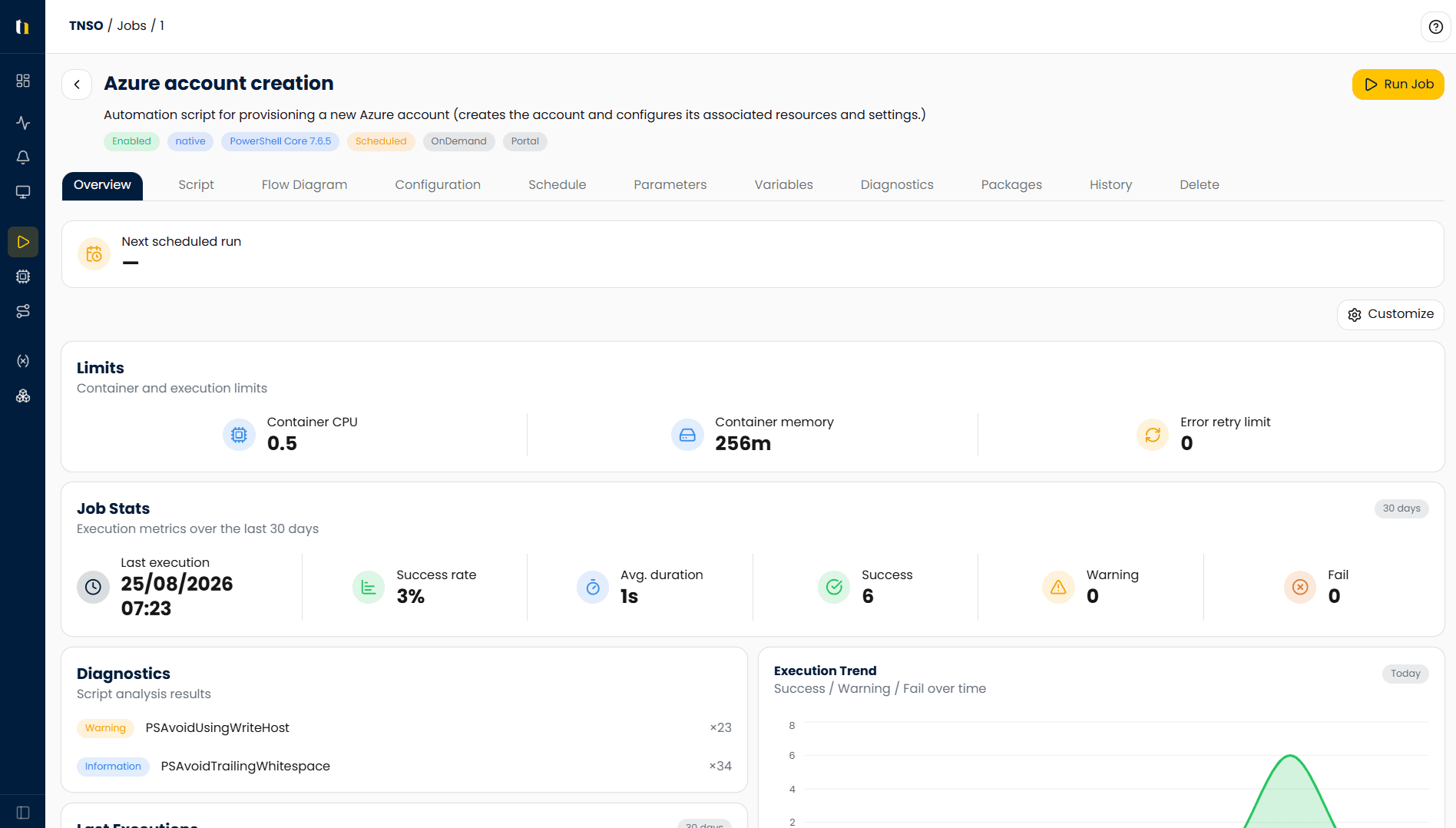
A control page for every process
Every PowerShell or Python script becomes a manageable process: you define its parameters, its schedule, and its execution limits, you review its code and its quality diagnostics, and you track its success rate as well as its average duration. Authorized users then trigger it from the portal in a single click.
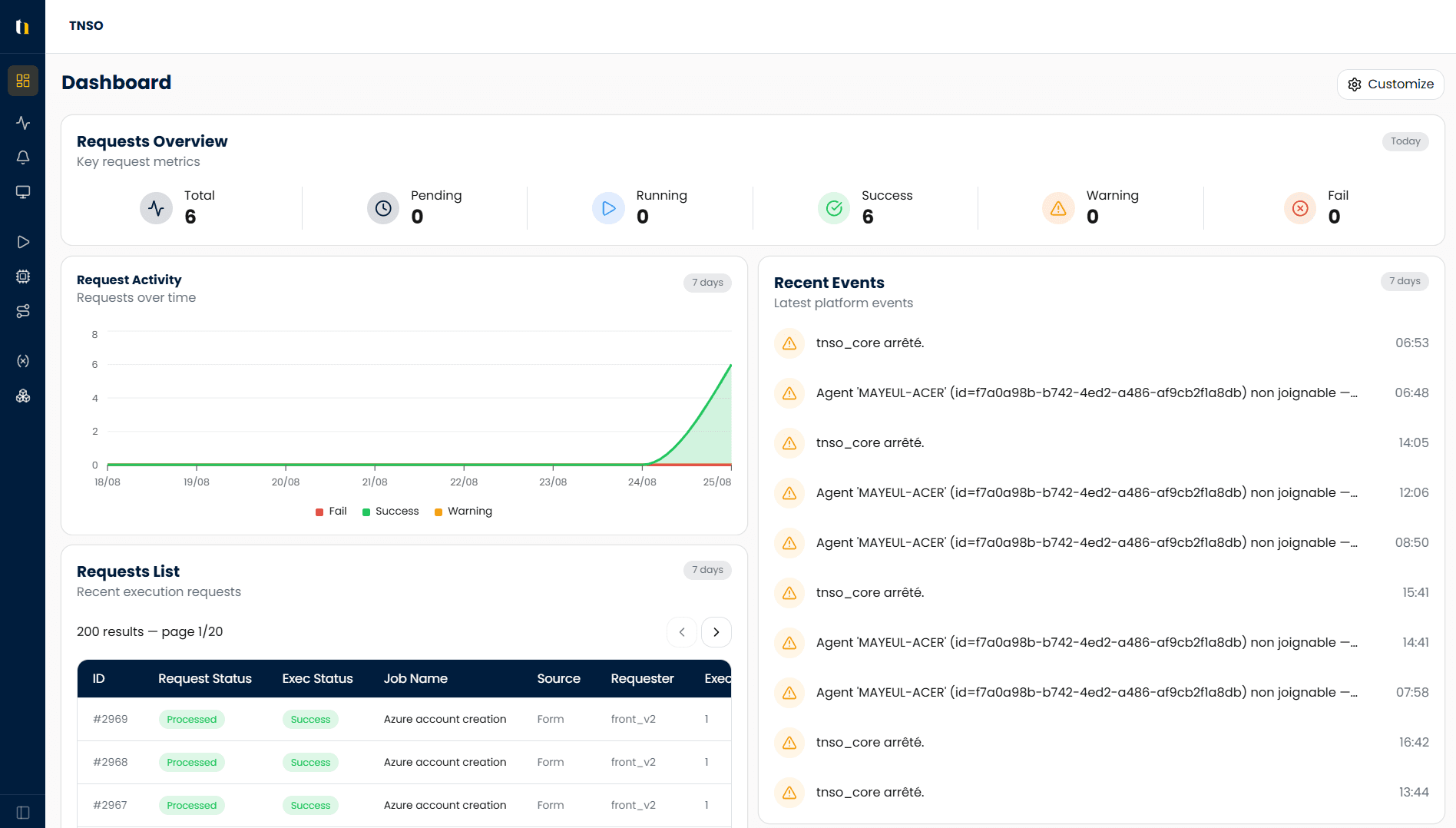
A customizable dashboard
The portal gives you an immediate view of the real state of your automation: requests pending, running, successful, or failed, activity over recent days, and the latest platform events. Each team builds the view that matches its scope.
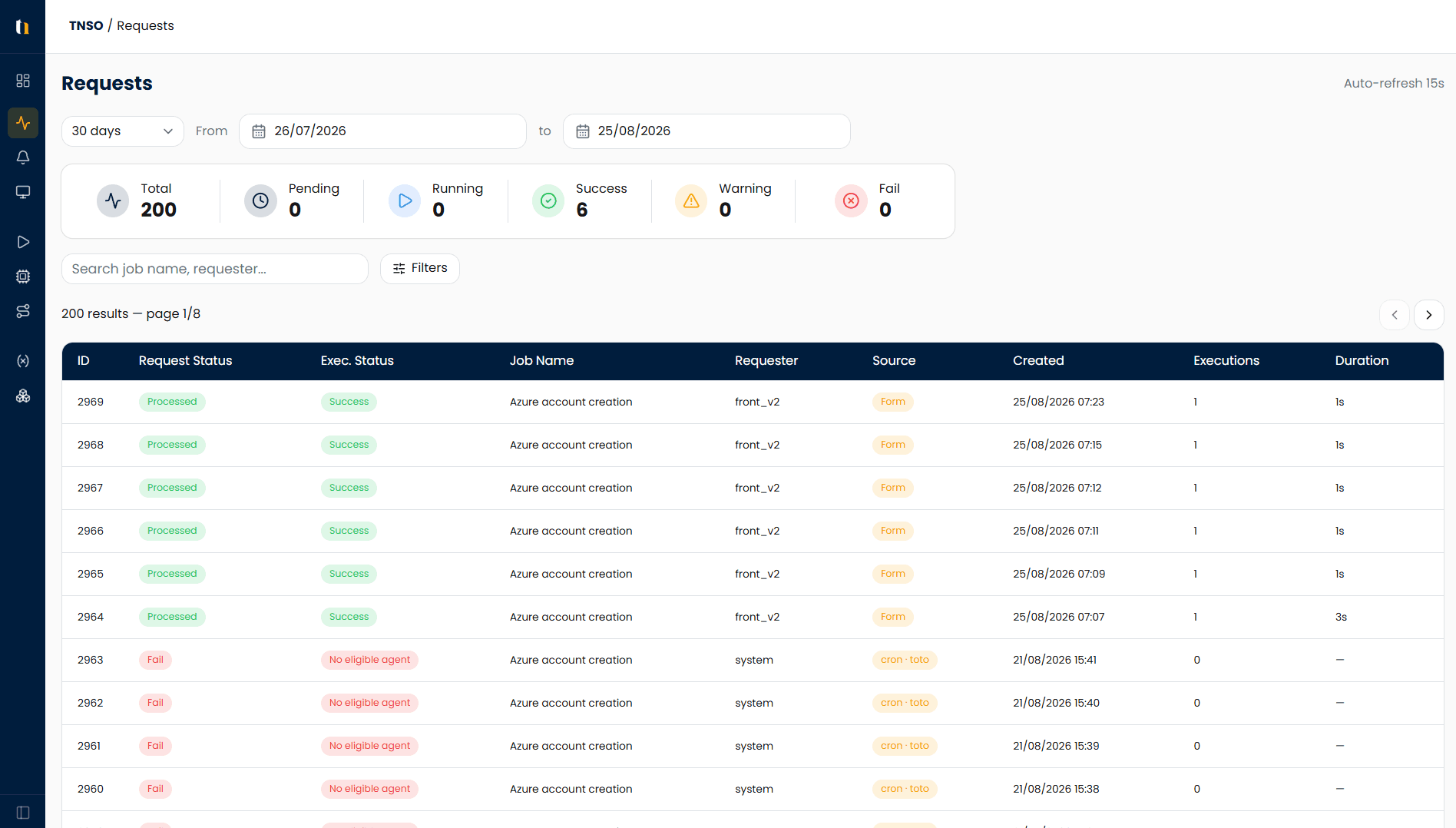
Traceability for every execution request
Every request is logged: who triggered the process, at what time, with what status, what duration, and from which source, whether the portal form, an API, or a schedule. Search, filters, and automatic refresh let you find any execution in a matter of seconds.
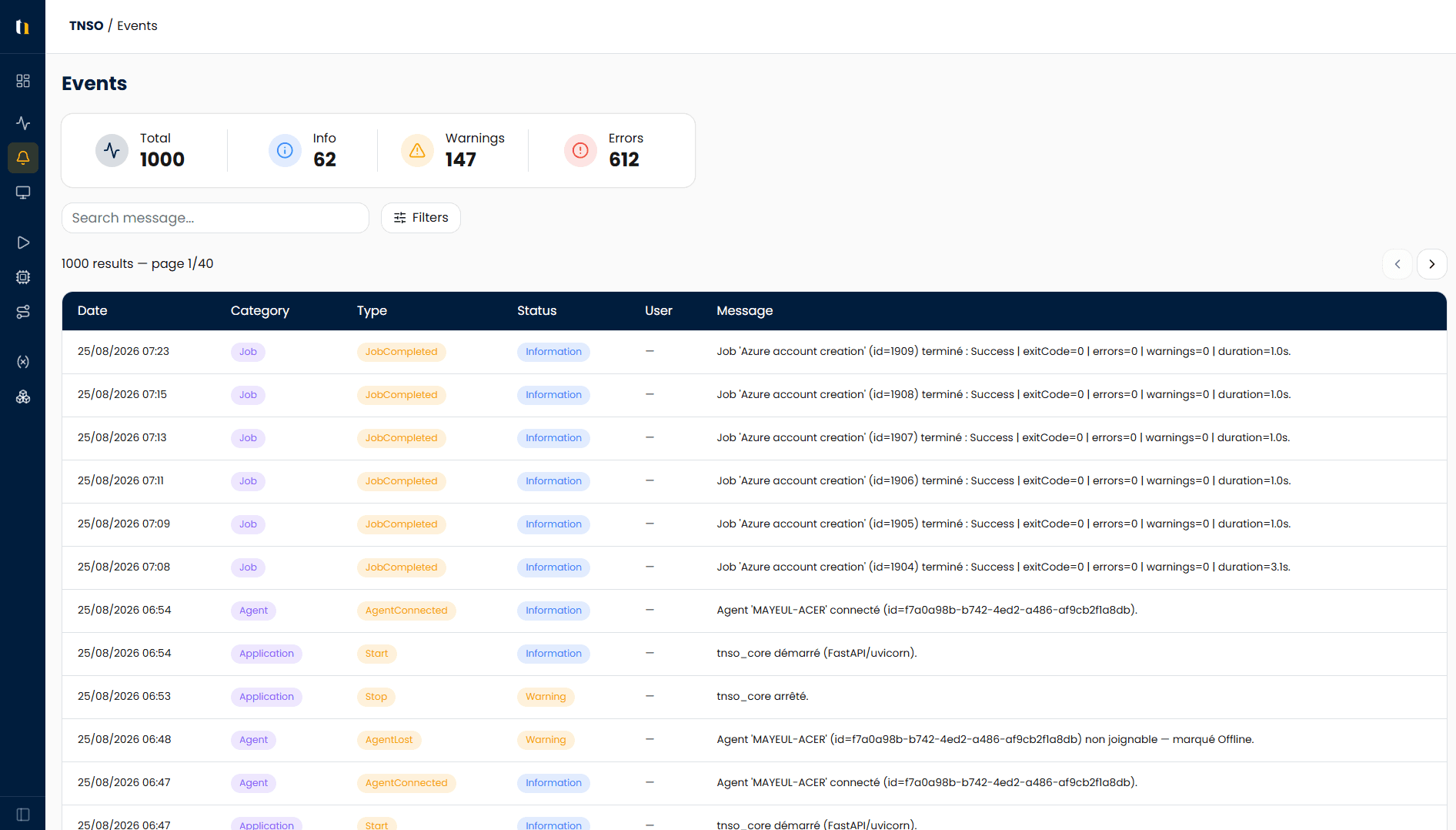
A centralized event log
Processes, agents, and platform: every event is recorded with its category, its severity level, and its detailed message. You get an audit trail that both your IT teams and your auditors can use, without having to comb through your server logs.
API and integrations
Native API
POST
GET
Transverse integration
With third-party products such as Service Now, IDM and any other market product compatible with API requests (PowerApps, Power Automate, ...)
Security and access
Authentication
Native via the user's AD account and Azure Entra ID.
Access rights
Via AD groups or Azure Entra ID.
Vault
Contains all credentials useful for processes.
Confidentiality
Your sensitive data stays isolated. The credentials used by your processes are encrypted in a vault: they never travel in plain text through your scripts, and nobody needs to know them to trigger a process. Access control is granular, which lets you delegate critical actions to non-administrator teams while meeting your compliance requirements.